

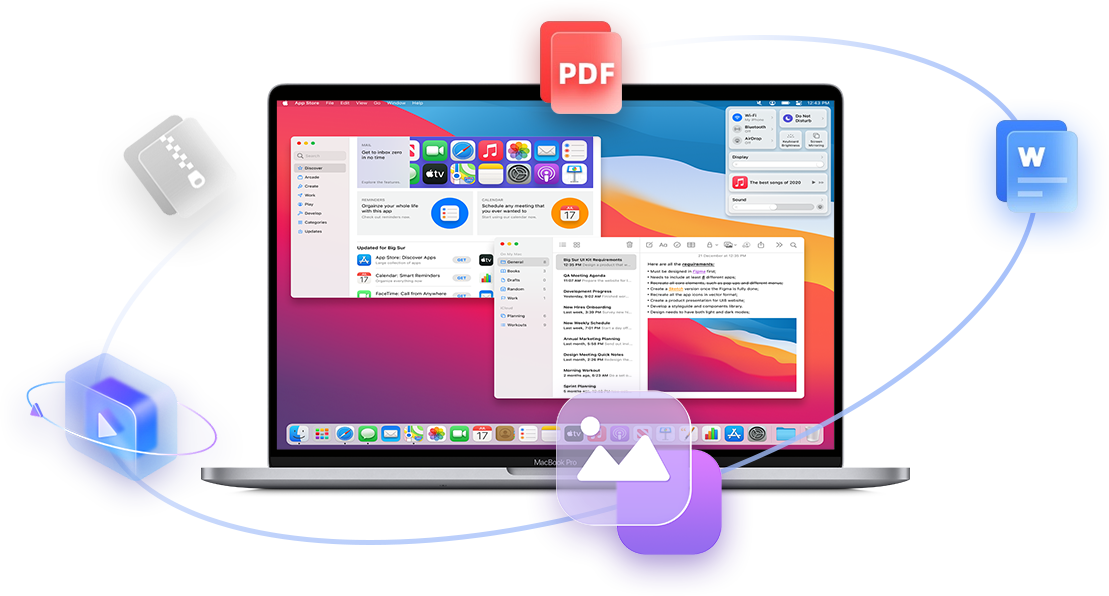











Restore


Application Areas
-
Individual Users
-
Enterprise
-
Photo Recovery

Easily retrieves deleted photos from your PC, or Mac systems. Lost Photos are recoverable from SD cards, DSLRs, GoPro, and more.
Free Download -
Hard Drive Recovery

Easily retrieves deleted photos from your PC, or Mac systems. Lost Photos are recoverable from SD cards, DSLRs, GoPro, and more.
Free Download -
Video Recovery

Easily retrieves deleted photos from your PC, or Mac systems. Lost Photos are recoverable from SD cards, DSLRs, GoPro, and more.
Free Download
-
Photo Recovery
Easily retrieves deleted photos from your PC, or Mac systems. Lost Photos are recoverable from SD cards, DSLRs, GoPro, and more.
Free Download -
Video Recovery
Easily retrieves deleted photos from your PC, or Mac systems. Lost Photos are recoverable from SD cards, DSLRs, GoPro, and more.
Free Download -
Hard Drive Recovery
Easily retrieves deleted photos from your PC, or Mac systems. Lost Photos are recoverable from SD cards, DSLRs, GoPro, and more.
Free Download
WHY CHOOSE XRecovery?

 XRecovery Professional Repair
-
 Step 1: Smart scan detects lost files
-
 Step 2: Preview before recovery
-
 Step 3: Restore with one click




-
0+
R&D Engineers
-
0+
Awards
-
0.0%
Recovery Success
-
0+
Partners
-
0M+
Files Restored


| Recuva | XRecovery | Why It Matters | |
|---|---|---|---|
| Platform Support | Windows only | Runs on Windows, supports Linux/macOS file systems | Works with more file systems, saving activation costs for cross-platform users |
| Interface & Usability | Basic and minimal | Modern UI with 3-step recovery process | Easy to use for everyone, no tech skills required |
| Pricing Model | Free + $24.95/year | Free + $29.99/month | Monthly pricing is more flexible for short-term recovery needs |
| Scan Options | Quick scan only | Quick, Deep, and Smart scan modes | Recovers even long-deleted or fragmented files |
| File Type Support | Common docs and images | 20,000+ formats including video, archives, RAW images | Covers everything from Word docs to GoPro footage |
| Device Compatibility | Hard drives, USB drives | Hard drives, USB, SD cards, cameras, external drives | Supports more devices for broader recovery scenarios |
| Preview Before Payment | Limited preview | Full preview with no data loss, plus recovery quality rating | Know exactly what you’re paying for—no guesswork |
| Recovery Success Rate | Around 60% | Up to 95% (internal testing) | Higher success rate means better chances of getting your data back |
| Customer Support | Basic FAQ | 7×12 live chat with step-by-step guidance | Real-time help when you need it most |
| Privacy & Security | Local recovery only | Local recovery with encryption | No uploads, full privacy, and secure handling of your data |
| Offline Activation | Not supported | Supported | Works even without internet—perfect for emergencies |
| Update Frequency | Rarely updated since 2016 Free Download |
Actively maintained and improved every year | Regular updates ensure better performance and compatibility |
| Disk Drill | XRecovery | Why It Matters | |
|---|---|---|---|
| Platform Support | Windows & macOS | Runs on Windows, supports Linux/macOS file systems | Broader file system support, ideal for cross-platform users |
| Interface & Usability | Modern UI, feature-rich but complex | Modern UI with a 3-step recovery process | Simpler workflow, easier for non-technical users |
| Pricing Model | Free with limited features; Pro ~$89 one-time | Free + ¥29.99/month | Monthly pricing is more flexible and cost-effective for short-term needs |
| Scan Options | Quick and Deep scan | Quick, Deep, and Smart scan | Smart scan skips invalid data, improving efficiency |
| File Type Support | Common formats; some require Pro version | 20,000+ formats including video, archives, RAW, etc. | Full format support after activation, no hidden limits |
| Device Compatibility | HDD, USB, SD cards, some mobile devices | HDD, USB, SD cards, cameras, external drives | Broader device support for more recovery scenarios |
| Preview Before Payment | Partial preview; full features require Pro | Full preview with no data loss and quality rating | Evaluate recovery results before paying—no surprises |
| Recovery Success Rate | Not officially disclosed; moderate user feedback | Up to 95% (internal testing) | Higher success rate means better chances of full recovery |
| Customer Support | Knowledge base and email support | 7×12 live chat with step-by-step guidance | Real-time assistance for faster issue resolution |
| Privacy & Security | Local recovery; some versions offer protection tools | Local recovery with encryption and offline mode | No uploads, encrypted handling, and offline activation supported |
| Offline Activation | Not supported | Supported | Works without internet—reliable in critical situations |
| Free Recovery Limit | Up to 500MB Free Download |
Up to 2GB | More generous free limit for first-time users |
| Recoverit | XRecovery | Why It Matters | |
|---|---|---|---|
| Developer Location | Shenzhen · Wondershare | Hong Kong · Independent Team | Hong Kong-based, with stronger privacy compliance and international trust |
| Platform Support | Windows & macOS | Runs on Windows, supports Linux/macOS file systems | Broader file system support, ideal for cross-platform users |
| Interface & Usability | Visually polished, but multi-step process | Modern UI with a 3-step recovery flow | Simpler and faster recovery, less friction for users |
| Pricing Model | Starts at ~$59.95/year, tiered features | $29.99/month | Flexible monthly pricing, no long-term commitment |
| Scan Options | Quick + Deep scan | Quick, Deep, and Smart scan | Smart scan skips invalid data, improving speed and accuracy |
| File Type Support | Common formats + some pro types | 20,000+ formats including video, archives, RAW, etc. | Full access to all formats after activation—no hidden limits |
| Device Compatibility | HDD, USB, SD cards, cameras | HDD, USB, SD cards, cameras, external drives | Broader compatibility, including more edge cases |
| Preview Before Payment | Partial preview; some features locked | Full preview with no data loss and quality rating | Know what you’ll recover before paying—no surprises |
| Recovery Success Rate | Marketed as high, but user feedback varies | Up to 99% (internal testing) | Higher success rate means better chances of full recovery |
| Customer Support | Online chat + ticket system | 7×12 live chat with step-by-step guidance | Faster, more responsive support when you need it |
| Privacy & Security | Local recovery + optional cloud backup | Local recovery with encryption and offline mode | No cloud dependency, better for sensitive data |
| Offline Activation | Not supported | Supported | Works without internet—ideal for emergencies |
| Free Recovery Limit | No clear free limit; trial is restricted Free Download |
Up to 2GB | More generous free tier for first-time users |
| EaseUS Data Recovery Wizard | XRecovery | Why It Matters | |
|---|---|---|---|
| Developer Location | Chengdu · EaseUS | Hong Kong · Independent Team | Hong Kong-based, with stronger privacy compliance and international trust |
| Platform Support | Windows & macOS | Runs on Windows, supports Linux/macOS file systems | Broader file system support, ideal for cross-platform users |
| Interface & Usability | Feature-rich but dated UI; multi-step process | Modern UI with a 3-step recovery flow | Faster, simpler recovery with a smoother user experience |
| Pricing Model | Starts at ~$69.95/year, tiered features | $29.99/month | Flexible monthly pricing avoids high upfront costs—great for short-term needs |
| Scan Options | Quick + Deep scan | Quick, Deep, and Smart scan | Smart scan skips invalid data, improving speed and accuracy |
| File Type Support | Common formats + some pro types | 20,000+ formats including video, archives, RAW, etc. | Full access to all formats after activation—no hidden limits |
| Device Compatibility | HDD, USB, SD cards, some mobile devices | HDD, USB, SD cards, cameras, external drives | Broader compatibility, including more edge cases |
| Preview Before Payment | Partial preview; some features locked | Full preview with no data loss and quality rating | Know what you’ll recover before paying—no surprises |
| Recovery Success Rate | Marketed as high; user feedback varies | Up to 99% (internal testing) | Higher success rate means better chances of full recovery |
| Customer Support | Online chat + ticket system | 7×12 live chat with step-by-step guidance | Faster, more responsive support when you need it |
| Privacy & Security | Local recovery + optional cloud sync | Local recovery with encryption and offline mode | No cloud dependency, better for sensitive data |
| Offline Activation | Not supported | Supported | Works without internet—ideal for emergencies |
| Free Recovery Limit | Up to 2GB (with registration) Free Download |
Up to 2GB | Same free limit, but XRecovery offers full preview and transparent experience |


I formatted the hard drive but forgot to back up my vacation photos.

I accidentally deleted an important report from my desktop.
 Even if you've emptaied the Recycle Bin, XRecovery can still help.

My USB drive is malfunctioning and now only displays error messages.

Regardless of the reason, don't be discouraged before trying XRecovery.
 My computer crashed and won't start up.
-
After a week in the Alps my GoPro card went unreadable. XRecovery scanned it and restored every clip — including the summit shot I thought was lost.
Recovered corrupted camera card; full footage restored. Lena Fischer
Adventure Enthusiast · Munich, Germany
-
I accidentally deleted my daughter’s entire birthday album. XRecovery found every photo, even the ones I didn’t realize were missing. It felt like getting a piece of my life back.
Recovered accidentally deleted family photos; emotional, complete recovery. Jessica Moore
AMother · Austin, TX
-
A client drive corrupted right before delivery. XRecovery recovered the final exports and the raw footage — it saved my deadline and my reputation.
Recovered professional project files and raw media under time pressure. David Chen
Freelance Video Editor · Toronto, Canada
-
 How to Restore Pictures from an SD Card
In today's digital age, capturing moments through photos is an essential part of our lives. Photos connect us to the past, preserving cherished memories and experiences. But what happens when those precious memories disappear from your SD card? Whether caused by accidental deletion, formatting errors, or hardware issues, losing photos can be distressing. Fortunately, there are ways to recover your images. In this comprehensive guide, we'll walk you through the steps to restore pictures from a...
Get Started -
 How to Repair a Damaged SSD Without Losin...
If your solid-state drive (SSD) suddenly becomes unreadable or you start losing files, the drive may be damaged. This guide explains common causes, data-recovery steps, and safe repair methods.
Get Started -
 Common SSD Failure Symptoms & FAQs A...
Solid-state drives (SSDs) are fast, reliable, and silent—but they're not immune to failure. One moment you're saving files, the next your computer crashes without warning. SSD failures can occur without obvious signs, and when they do, data loss often follows. In this article, we'll explain what SSD failure is, list common warning signs, and describe how to recover data from a failing or dead SSD.
Get Started







Why Users Trust XRecovery
After a week in the Alps my GoPro card went unreadable. XRecovery scanned it and restored every clip — including the summit shot I thought was lost.
Adventure Enthusiast · Munich, Germany
I accidentally deleted my daughter’s entire birthday album. XRecovery found every photo, even the ones I didn’t realize were missing. It felt like getting a piece of my life back.
AMother · Austin, TX
A client drive corrupted right before delivery. XRecovery recovered the final exports and the raw footage — it saved my deadline and my reputation.
Freelance Video Editor · Toronto, Canada